ONLINESUBWAY
Communities and shops you find through a subway route map. Pick a country and travel along the lines.
What is it?
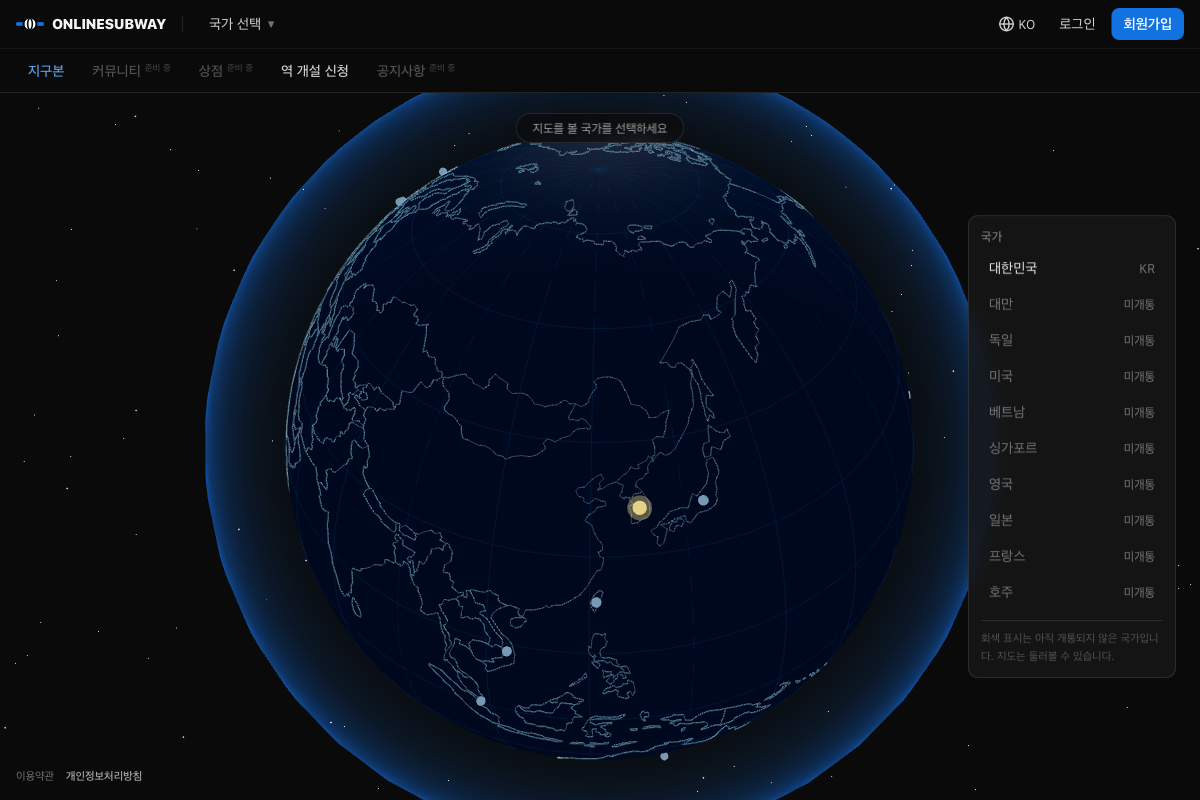
An open community that borrows the subway route map. You pick a country on the globe, narrow down to a region on the map, and find the stations in that region.
How the subway maps to the service
| Subway | What it means here |
|---|---|
| Line | A category. Stations in the same category form one line. |
| Station | An individual space, such as a club or small group. It has a real location. |
| Station master | The person who runs a station. You take this on when your application passes review. |
| Station staff | The team that helps the station master. Each station can have up to 3. |
| Passenger | Someone who has joined a station. You can be a passenger at several stations. |
| History hall | A station’s official record. Entries are dated and keep a revision history. |
What you can use now
- Exploring: From the 3D globe, go into a country’s map, then provinces, then districts. South Korea is open right now.
- Opening a station: Mark a location on the map and apply, and the station opens after review.
- Inside a station: You can use the feed, comments, history hall, reviews, and cars. There are also private stations and invite links.
- Members: Sign up with email or a social account, and set your profile’s visibility field by field.
- Languages: Supports Korean, English, Spanish, and Japanese.
The shop and the site-wide community in the top menu are coming soon.
Privacy and terms
ONLINESUBWAY is a separate service. You can find its terms of service and privacy policy at onlinesubway.com.
Update history
Names in stations and the solar system
- You can set a name used only in that station, like "Cheolsu Kim, 3rd class" in an alumni association.
- Keep zooming out from the globe and the solar system opens up.
Multiple languages and private groups
- Added English, Spanish, and Japanese interfaces.
- Added terms of service, a privacy policy, sign-up consent, and account deletion.
- Added private stations you enter with approval, and cars, which are small groups inside a station.
- Added invite links. Paste one into a group chat, and people can enter the station or car just by signing in.
- Fixed an error that appeared after completing email verification on another device.
Community and history hall
- Every station can use a feed, comments, likes, and reports, and can have station staff.
- Added the history hall, which builds up a station's official records. Edits leave a revision history, and you can send correction requests.
- You can leave star-rated reviews on history hall records.
- Added member profiles, avatars, and visibility settings for each field.
- Added sharing to Instagram, Facebook, and X, plus link previews.
- Added station favorites.
Lines become categories, stations move onto the real map
- Turned lines into categories and moved each station to a single point on a real map.
- Added station applications and review, station screens and passengers, and station master invitations.
- When you apply for a station, you can find its location by address or place name.
- Stations at the same spot are spread apart on the map.
- Set nickname rules. Nicknames are 2 to 20 characters, can't be duplicates, and can be changed once after signing up.
- Added Kakao sign-in.
Sign-in improvements
- You can sign up and sign in with Google. Social account connections are managed in account settings.
- You can reset your password by email.
Real maps
- Shows the real map of the country you pick on the globe.
- The map of Korea expands from provinces down to districts.
- You can look around the maps of countries that are not yet open.
- Moved to the current production server.
Email verification
- Email verification is now part of signing up.
First version
- Built the 3D globe and route map screens.
- Built sign-up and sign-in.
If something is wrong or you have a question, see the Support page.